Mixing & Mastering Tip #211 ·
How Reaper custom actions save time in mixing and mastering

Ruslan Slatin
Mastering engineer at SLATIN, Madrid
If you’ve been mixing for a while, you already know that every click counts.
Those tiny repetitive moves, opening menus, dragging windows, scrolling through endless tracks, add up fast.
Here’s the thing: Reaper absolutely crushes other DAWs when it comes to time optimization.
Custom actions: your secret weapon
Reaper lets you create “Custom Actions”, which are basically mini-macros that combine several steps into one single command.
For instance, I have a custom action to create a region. That’s a lot of clicks if done manually, but now it’s just one.
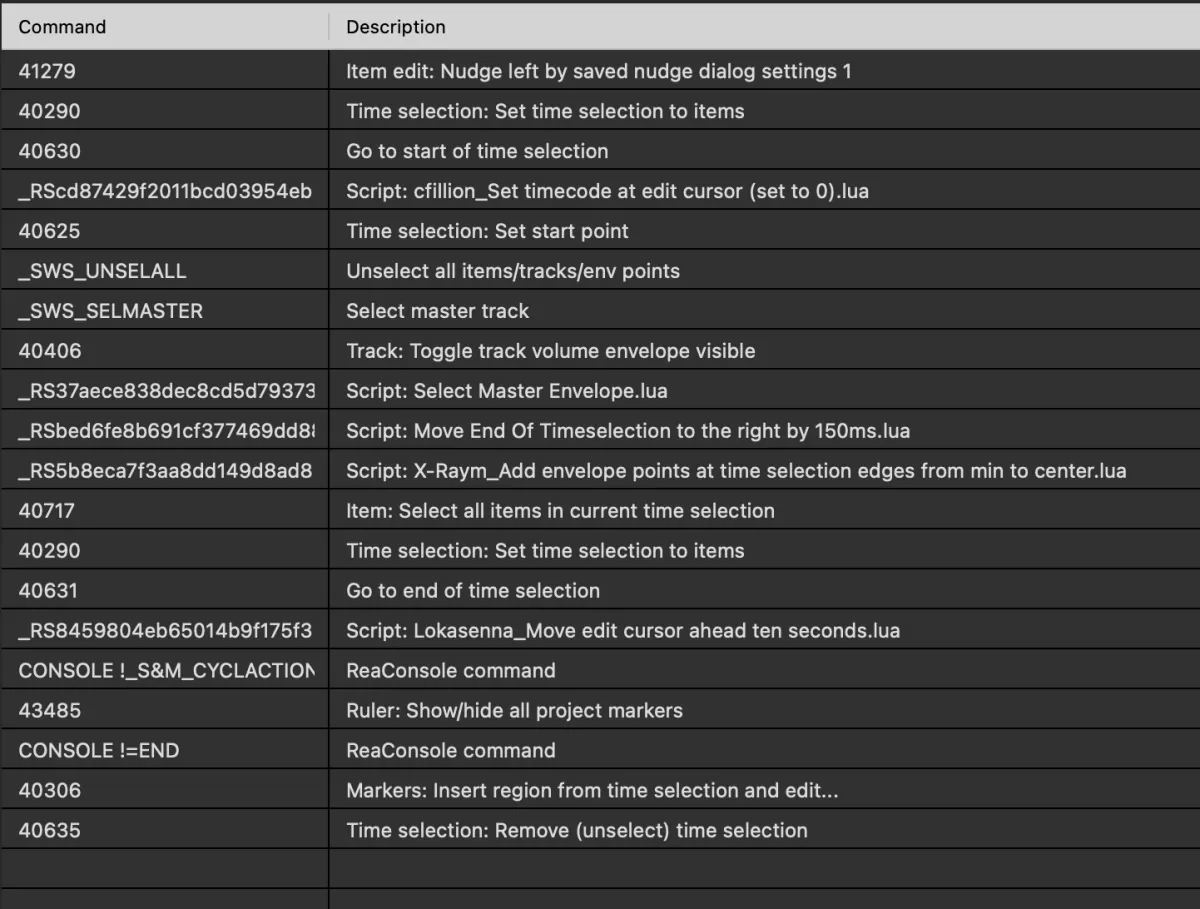
I’m not going to explain what each step does; I think you can understand it by reading the description.
Some of those scripts were provided by the Reaper community, and some I had to code myself, but nowadays that’s super easy using ChatGPT.
My switch-to-analog function
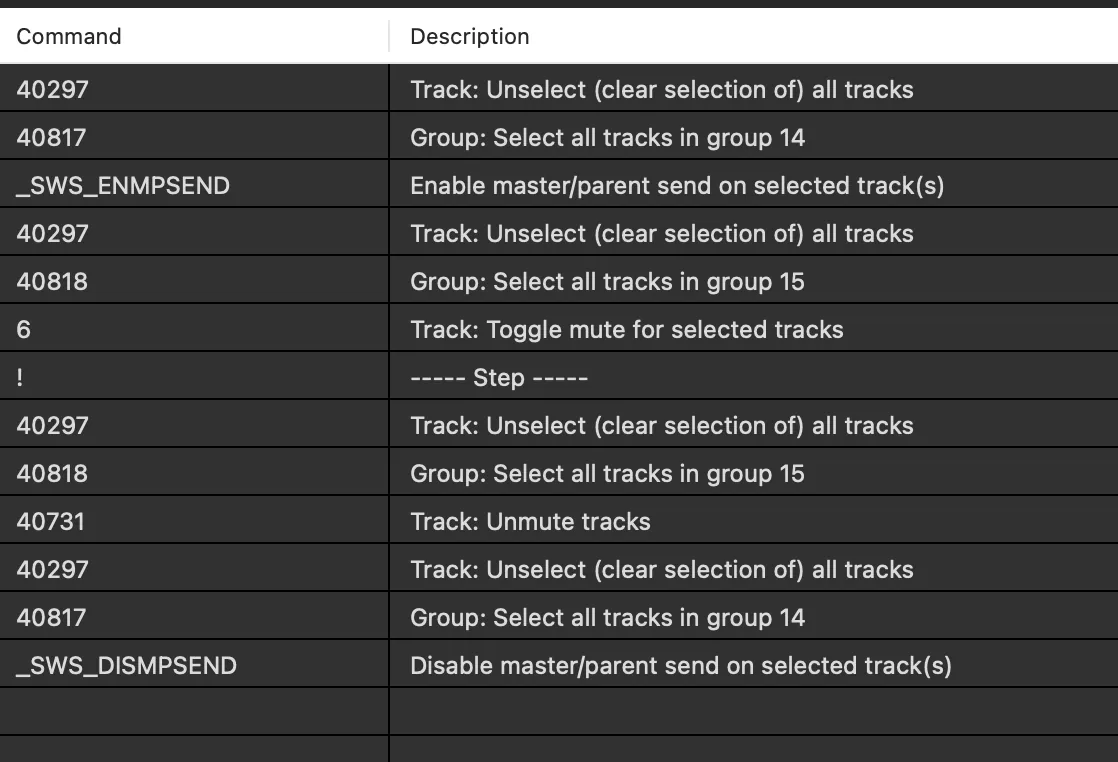
Another cycle action I use every day switches between my digital and analog master chain.
Before, it took me at least 4 or 5 clicks. Now I can do it with the press of one button.
There is a dividing step in the middle of the action. That means when I press the key, it executes the first part of the action, and if I press the key again, it executes the second part. As easy as it gets.
Once you taste that kind of efficiency, going back to anything else feels like walking in slow motion. It’s part of the reason I’ll probably never leave Reaper for mixing and mastering.
Want this on your own track?
I master more than 1,000 songs a year for artists and labels, from stems or a stereo mix. Send me your track and I'll tell you what it needs.
A new tip like this every week, free: join the newsletter.
Work with me
Whenever you're ready, here's how I can help.
 MentoringMix & Master AcceleratorWeekly video reviews of your tracks, live group calls, and the business side of a studio career.By applicationApply now
  Preset packFUSION150 hand-crafted Valhalla VintageVerb presets. Three clicks to the sound you already hear in your head.20€Get the pack
  CourseAdvanced MicrodynamicsFour hours on the micro-level movement that makes a mix feel alive. Joined by 220+ students.149€See the course
  CourseLow End MasteryKick and bass chemistry, so your low end lands on club rigs and earbuds alike. Joined by 500+ students.159€See the course
  SoftwareStudiOSThe software I run my own studio on: deliveries, client feedback, versions and invoices in one place.14 days freeTry StudiOS