Mixing & Mastering Tip #206 ·
Why I use the WES Audio NgTubeEQ as a recallable analog mastering EQ

Ruslan Slatin
Mastering engineer at SLATIN, Madrid
For most of my career I have worked almost entirely in the box. Don’t get me wrong, I’ve bought my fair share of analog compressors and EQs over the years. The problem was never the sound. I love what analog gear does. The issue was always workflow.
I tend to jump between projects every 15-20 minutes, and manually recalling hardware settings each time just made no sense. So I’d end up selling those pieces, even when I loved them.
Over the past few years, something exciting has started to happen: digitally recallable hardware. Companies have been developing units that give you the analog sound with instant recall inside your DAW. This summer I finally took the plunge, and now I work with a fully recallable chain made up of several of these devices.
Here I want to focus on my main analog EQ.
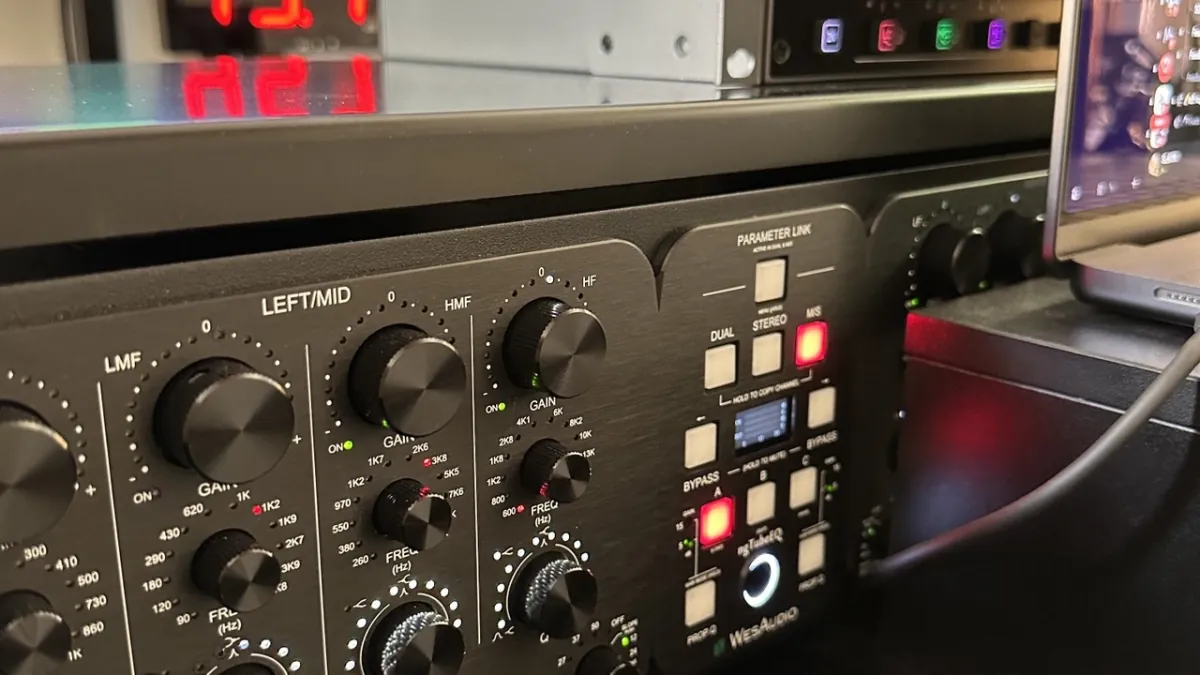
WES Audio NgTubeEQ
This is a 100% analog tube equalizer with a massive 26 dBu of headroom, so you get that lush, vintage warmth we all crave.
You can switch between modes:
- GREEN gives you a cleaner, punchier output.
- RED kicks in the tube amplification and transformer saturation.
- IRON PAD lets you drive the tube circuit harder while keeping the output level consistent.
Why it’s so flexible
It has three operational modes: DUAL, STEREO and MID-SIDE. Whether you’re working on vocals, full mixes or precise stereo imaging, it adapts.
But most importantly: RECALL. Recall gives me the freedom to enjoy analog without the stress of losing my mix moves.
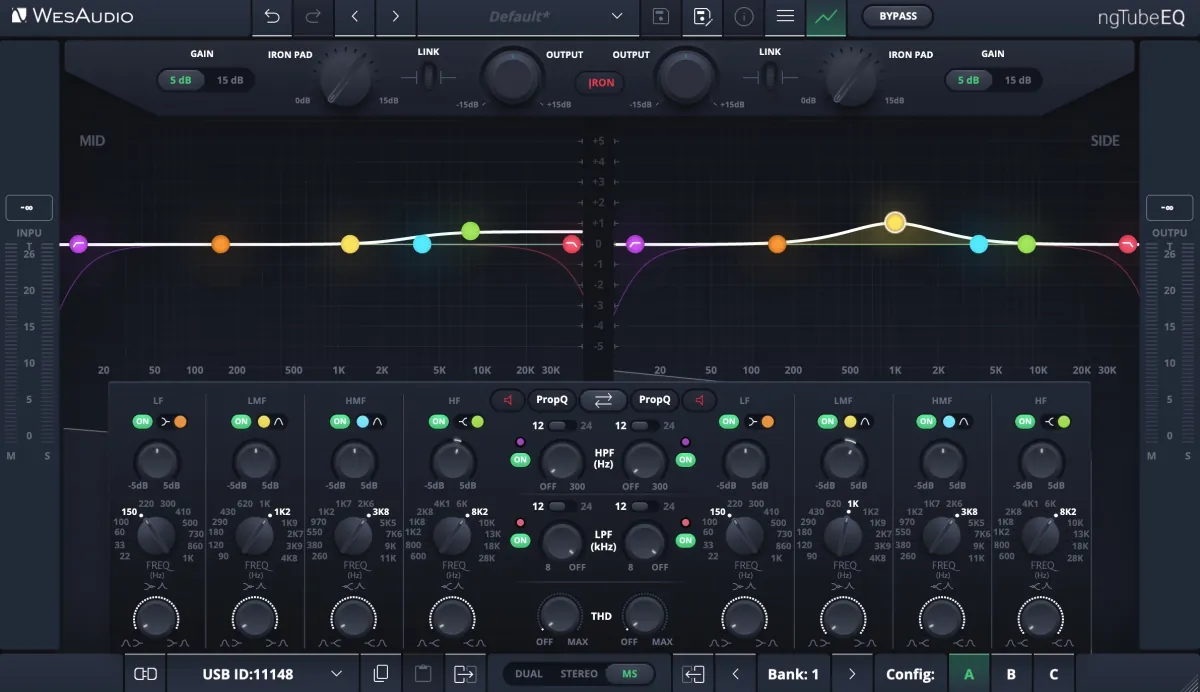
- Full digital control via plugin: adjust everything from your DAW, automate, save and recall.
- Hardware A/B/C buttons let you instantly switch between three analog settings, which is super intuitive for quick comparisons or creative exploration.
- The internal memory holds up to 100 presets, so you can even work without the plugin if needed.
How I use it
I use it every day. It’s like having vintage analog soul with DAW-savvy brains.
- Want precision? Reach for Constant Q and GREEN mode.
- Need some analog romance? RED mode with THD and Iron Pad has your back.
Most of the time it works. The few times it doesn’t, it’s still worth the try.
Want this on your own track?
I master more than 1,000 songs a year for artists and labels, from stems or a stereo mix. Send me your track and I'll tell you what it needs.
A new tip like this every week, free: join the newsletter.
Work with me
Whenever you're ready, here's how I can help.
 MentoringMix & Master AcceleratorWeekly video reviews of your tracks, live group calls, and the business side of a studio career.By applicationApply now
  Preset packFUSION150 hand-crafted Valhalla VintageVerb presets. Three clicks to the sound you already hear in your head.20€Get the pack
  CourseAdvanced MicrodynamicsFour hours on the micro-level movement that makes a mix feel alive. Joined by 220+ students.149€See the course
  CourseLow End MasteryKick and bass chemistry, so your low end lands on club rigs and earbuds alike. Joined by 500+ students.159€See the course
  SoftwareStudiOSThe software I run my own studio on: deliveries, client feedback, versions and invoices in one place.14 days freeTry StudiOS